
Key Highlights
A corporate website’s success hinges on a user-focused layout and seamless navigation, directly impacting potential clients’ first impressions.
Consistency in branding, fonts, and professional design builds immediate trust while differentiating your business in a competitive landscape.
High-impact visuals and responsive layouts powered by modern tools like AI and Adobe are now standard, not optional.
SEO, accessibility, and page speed optimization are non-negotiable for both usability and conversion.
Avoiding common mistakes like cluttered navigation and neglecting mobile responsiveness ensures your corporate website stands out in today’s digital environment.
Introduction
The modern corporate website is more than an online brochure—it’s the foundation for engaging potential clients and communicating your brand’s authority. Too many businesses settle for lackluster website design, undermining their reputation and user experience. This blog critiques the status quo and lays out proven strategies to elevate your corporate website. If you want to transform your digital presence, deliver superior user experiences, and outperform competitors, these essential tips will ensure your site is both impactful and professional.
10 Essential Tips for Effective Corporate Website Design

Designing a corporate website that resonates with your audience is not a guessing game. The most successful sites are the result of intentional, professional design choices that prioritize usability and branding. Web designers and marketers must focus on both visual appeal and seamless user experience to make a lasting impression.
In this section, we assertively critique common missteps and share the ten indispensable strategies for building a corporate website that not only attracts but retains potential clients. Let’s break down what truly sets apart a high-performing site.
1. Prioritize a User-Centric Layout and Navigation
Your website’s layout and navigation must serve real users—not just designers’ preferences. If potential clients can’t find what they need in seconds, they’ll move on. Prioritize intuitive navigation structures and clear menus that guide users effortlessly, ensuring usability remains at the forefront.
Experiment with mega menus and logical groupings to streamline access to key information. Employ clear labeling and a predictable site architecture, which helps visitors quickly understand your offerings and pathways. Poor navigation will sabotage even the best content or visuals, so scrutinize every decision with user experience in mind.
Responsive design is crucial. Start by choosing a flexible grid layout, scalable images, and readable typography. Test across devices and screen sizes to guarantee every user enjoys the same seamless experience, regardless of platform. Regular usability testing is essential for catching and correcting navigation pain points before they cost you conversions.
2. Maintain Consistent and Professional Branding
Brand consistency is non-negotiable for corporate websites. A patchwork of fonts, colors, or logo placements erodes trust instantly. Instead, establish clear guidelines for typography, layout, and color schemes that reinforce your professional design and ensure your site reflects your organization’s identity at every touchpoint.
Every page, from the homepage to blogs, must adhere to this unified branding strategy. Consistency enhances recall and signals professionalism, making potential clients more likely to engage further. Regularly audit your site for elements that stray from your brand standards and correct them promptly.
Trust is earned through professionalism. Use clean layouts, legible fonts, and a cohesive color palette. According to Paul Rand, legendary designer, “Design is the silent ambassador of your brand.” Ensure every visual element aligns with your corporate values to communicate credibility and reliability.
3. Use High-Impact Visuals and Media Elements
Visuals are a strategic asset, not a decorative afterthought. High-resolution images, custom graphics, and engaging videos should be selected to reinforce your messaging and boost user experience. Effective website design leverages tools like Adobe and AI-powered enhancements to produce visuals that are both eye-catching and on-brand.
Don’t overload your site with generic stock photos; instead, opt for media that reflects your actual products, team, or services. This authenticity helps your corporate website stand out and foster trust among potential clients. Interactive graphics and subtle animations can also elevate the perception of professionalism.
Looking for inspiration? Analyze award-winning sites or explore curated templates on platforms like Adobe or HubSpot. Modern corporate website designs showcase clean layouts, bold visuals, and well-integrated multimedia, setting the standard for digital excellence.
4. Make Your Website Fully Responsive Across All Devices
A non-responsive corporate website is an immediate red flag for potential clients. Your site must deliver a seamless, consistent experience across desktops, tablets, and smartphones. Responsive design means adapting layouts, images, and interactive elements to fit every device without compromising usability or aesthetics.
Test your site rigorously on all major platforms and browsers. Responsive frameworks and scalable vector graphics help ensure that navigation and content remain clear and accessible no matter how your audience connects. Inconsistent mobile experiences drastically hurt brand perception and conversion rates.
Start with a mobile-first strategy, using fluid grids and flexible images. Prioritize core content and functionality for smaller screens, then enhance features for larger displays. Regular testing using device emulators and real hardware is essential for catching potential issues early.
5. Optimize Page Speed and Performance
Slow-loading websites drive users away faster than poor content. Page speed is not just a technical metric; it’s a core part of both user experience and SEO. Compress images, use optimized file formats, and minimize scripts to reduce load times without sacrificing your professional design.
Monitor performance with tools like Google PageSpeed Insights and address issues immediately. Remember, every second of delay increases bounce rates and diminishes customer trust. Streamlined web design that prioritizes speed is essential for keeping potential clients engaged.
To balance SEO and aesthetics, use light-weight code, lazy loading for images, and prioritize above-the-fold content. Ensure your site structure and content are clear, but never at the expense of fast, responsive delivery.
6. Integrate Trust-Building Features (Testimonials, Certifications, Security Badges)
In the competitive landscape of corporate website design, integrating trust-building features is non-negotiable. Testimonials from satisfied clients lend credibility, showcasing user experiences that resonate with potential clients. Additionally, displaying certifications and security badges enhances the professional design, instilling confidence in prospective visitors. These elements are not mere embellishments; they are essential components that significantly influence usability and navigation. Skipping this step can undermine the effectiveness of your website, potentially driving away valuable clientele. Prioritize trust to elevate your corporate identity.
7. Focus on Clear Calls-to-Action (CTAs)
Crafting a corporate website with ineffective calls-to-action (CTAs) is a grave error that detracts from user experience and potential conversions. CTAs must be strategically placed to guide visitors toward desired actions, utilizing contrasting colors, compelling typography, and clear language. Avoid vague phrases; instead, use assertive commands that resonate with your audience. Professional designers understand the importance of seamless navigation, ensuring every CTA is easily accessible. Marketers can leverage AI insights to tailor CTAs that maximize engagement and drive results.
8. Structure Content for Easy Scanning and Accessibility
Users rarely read every word; they scan for value. Structuring content for quick scanning and accessibility is essential for usability and professionalism. Short paragraphs, clear headings, and bullet points help users digest information efficiently.
Use descriptive subheadings to organize sections.
Employ bullet lists for key points and features.
Ensure font choices and text sizes support readability for all users.
Provide alt text for images to enhance accessibility.
Accessibility standards aren’t optional—they’re mandatory for reaching all users and complying with regulations. Regularly review your site’s usability for those with disabilities and adapt your layout as needed.
Critical pages include an informative homepage, engaging blogs, detailed service/product pages, and accessible contact forms. Prioritize content organization to ensure every visitor—regardless of ability—can easily engage with your corporate website.
9. Implement SEO Best Practices Without Compromising Design
A visually stunning website that’s invisible to search engines fails its core purpose. SEO must be part of your web design process from the start, but don’t let keyword stuffing or clunky layouts undermine your professional design. Clean code, descriptive meta tags, and user-friendly URLs are essential.
Work closely with marketers to create SEO-rich content while maintaining a polished, cohesive layout. Avoid tactics that disrupt user experience, like excessive popups or keyword-heavy headlines that read poorly. SEO and design are not mutually exclusive—they must work in harmony.
Use semantic HTML, logical heading structures, and descriptive image alt text to enhance both SEO and usability. Regular site audits allow you to maintain strong rankings without sacrificing aesthetics.
10. Plan for Easy Maintenance and Scalability
A neglected website quickly becomes outdated and insecure. As your company grows, your corporate website must adapt without costly overhauls. Select platforms like WordPress or Adobe that support both easy customization and robust scalability.
Routine maintenance—such as content updates, plugin management, and security patches—should be straightforward for your team. Intuitive content management systems (CMS) empower even non-technical users to keep your site fresh and relevant, ensuring long-term value.
For businesses without coding expertise, tools like WordPress, Shopify, or Adobe Commerce offer customizable templates and drag-and-drop builders. Prioritize platforms known for flexible, scalable solutions so your website can evolve alongside your organization’s needs.
Key Features of Successful Corporate Website Designs
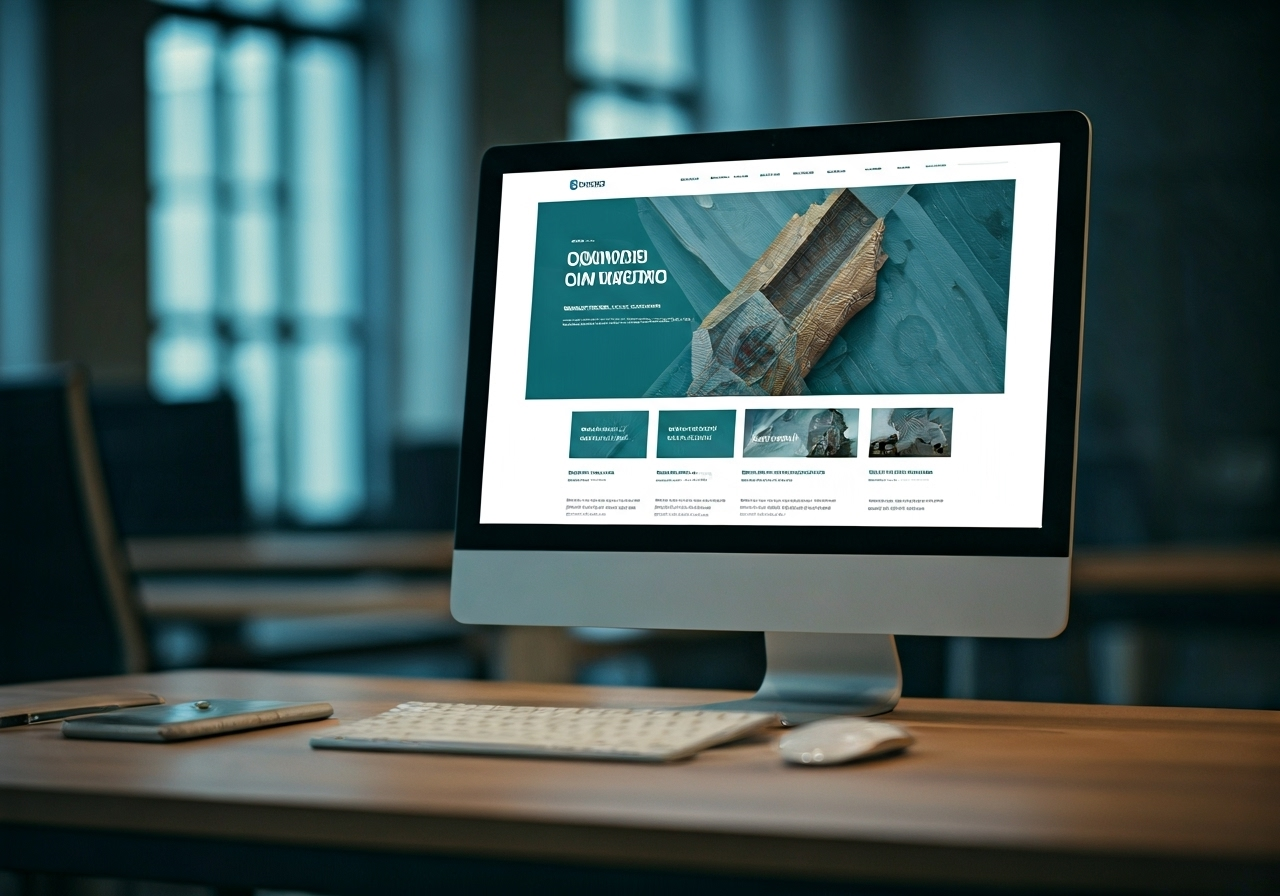
The most effective corporate websites share several critical features: clear navigation, professional design, and a consistent user experience. These elements work together to establish credibility and guide potential clients through your offerings without friction.
In this next section, you’ll discover real-world examples of award-winning corporate website designs, see what sets them apart, and learn exactly which pages and trends are driving success for business sites in the US today.
Award-Winning Examples and What Sets Them Apart
Examining the best in the industry is non-negotiable for any web designer or marketer aspiring to excellence. Sites like Adobe, HubSpot, and Calendly are celebrated for harmonizing design, usability, and brand messaging. Their layouts are both visually engaging and navigationally seamless, with each element serving a clear business purpose.
A closer look at their strategies reveals consistent branding, high-impact visuals, and a mobile-first mentality. These websites also excel in structuring content for accessibility and speed, ensuring every visitor receives the optimal experience.
Website | Key Features |
|---|---|
Adobe | Consistent branding, custom visuals, tailored product pages |
HubSpot | Intuitive navigation, actionable CTAs, educational content |
Calendly | Minimalist design, focused messaging, seamless scheduling integration |
Decor Systems | Balanced use of space, engaging animations, standout typography |
Bikebear | Creative visuals, playful branding, interactive elements |
Review these sites not just for their aesthetics, but for how they integrate professional design and user experience at every level.
Essential Pages Every Corporate Website Should Include
A professional design is incomplete without the right content structure. Every successful corporate website must feature core pages that serve both new and returning users. These pages drive user experience, build credibility, and facilitate conversions.
Homepage: Sets the tone, provides clear value propositions, and guides users to key actions.
About Us/Company: Builds trust by sharing your mission, values, and team.
Blogs/Insights: Demonstrates expertise and engages potential clients with fresh content.
Contact Page: Removes barriers to communication, making it easy for clients to reach out.
Beyond these essentials, consider integrating testimonials, portfolios, or case studies to further support your claims. Each page must follow your branding guidelines and be optimized for SEO and usability, ensuring every visitor finds exactly what they need.
Latest Design Trends for Business Websites in the US
Corporate website design in the US has evolved rapidly, embracing new trends and technologies. Staying ahead requires keeping your site modern, engaging, and tailored for your audience. The latest digital and AI-powered enhancements are now industry standards, not novelties.
Minimalism: Clean layouts with ample white space improve readability and highlight core content.
Bold Typography: Statement fonts and creative text placements catch attention and reinforce branding.
Interactive Elements: Subtle animations and on-scroll effects create dynamic user experiences.
AI Personalization: Tailored content and recommendations boost engagement and conversions.
If you want to attract and retain business clients, your corporate website must adopt these design trends. Clients expect a professional design that feels fresh and relevant—don’t let outdated aesthetics undermine your credibility.
Tools, Platforms & Resources for Building Corporate Websites

Choosing the right tools and platforms is vital for building professional, scalable corporate websites. Today’s web designers can select from an impressive array of CMS options, website builders, and specialized resources that streamline every aspect of website design.
This section critiques the most reliable options—such as WordPress, Adobe, and Shopify—and highlights where to find modern templates and inspiration for your next project. No matter your technical experience, there’s a solution tailored to your business needs.
Top Website Builders and CMS for Corporations
Enterprise-grade website design demands powerful, flexible CMS platforms and builders. WordPress dominates for its customization, ease of use, and vast plugin library, making it ideal for both small businesses and large corporations. Adobe Commerce provides robust e-commerce functionality and custom layouts for unique branding needs.
Shopify and Drupal also offer advanced features, from responsive design templates to scalable infrastructures. Pricing models differ, so assess your company’s requirements and resources before committing.
WordPress: Extensive themes/plugins, intuitive admin, strong SEO features.
Adobe Commerce: Advanced customization, powerful integrations, enterprise support.
Shopify: E-commerce focus, rapid deployment, extensive app ecosystem.
Drupal: Highly secure, flexible content architecture, suited for complex sites.
These platforms allow anyone—even without coding experience—to create and customize a professional, scalable corporate website with minimal friction.
Where to Find Modern Templates and Design Inspiration
Stuck at the design phase? Today’s web designers can leverage a wealth of resources for inspiration and templates. From platform-specific theme markets to curated galleries, there’s no excuse for generic website design.
Adobe Templates: Professionally crafted, highly customizable for unique branding.
WordPress Theme Marketplaces: Thousands of industry-specific templates, easy to install.
HubSpot Design Gallery: Showcases modern layouts and conversion-focused elements.
Awards: Curated examples of innovative, award-winning designs.
For modern inspiration, study award-winning corporate websites and download high-impact templates from sources like Adobe, HubSpot, and specialized design galleries. Use these as a foundation, then adapt them to reflect your brand’s personality and needs.
Common Mistakes to Avoid in Corporate Website Design
Too many corporate websites fall into the same traps, sacrificing usability for flashy features or neglecting accessibility entirely. The result? Lost credibility and disengaged users. This section exposes the most damaging mistakes—from cluttered navigation to ignoring mobile optimization—and explains how to sidestep these pitfalls.
By critically reviewing your website design and focusing on what truly matters, you’ll avoid alienating potential clients and deliver a user experience worthy of your brand.
Overcomplicating Navigation or Layout
Overly complex menus and chaotic layouts hinder usability, frustrating potential clients and leading to premature exits. Simplicity and clarity must take priority. Avoid the temptation to cram every possible link onto your homepage or to use unconventional navigation structures that confuse rather than guide.
Limit menu items to essentials and group related pages logically.
Keep navigation labels clear and descriptive—avoid jargon.
Use whitespace strategically to guide attention and reduce visual noise.
Ensure every pathway serves a defined business goal or user need.
A common blunder is prioritizing flashy gimmicks over user pathways. Stick to intuitive structures proven to work, and regularly test with real users to catch pain points before they escalate into lost business.
Neglecting Mobile Optimization and Accessibility
Ignoring mobile users or accessibility standards is an inexcusable oversight in today’s digital world. Mobile-optimized, accessible websites are no longer optional—they’re essential for a professional design and an inclusive user experience. Failing here alienates large segments of your audience and exposes your business to legal risk.
Use responsive frameworks for seamless adaptation across devices.
Test with accessibility tools to ensure compatibility with screen readers.
Avoid tiny fonts or low-contrast color schemes that impede readability.
Ensure interactive elements are easily tappable on all screen sizes.
The most prevalent mistakes include neglecting mobile optimization and skipping accessibility checks. Don’t let your corporate website become a barrier—embrace universal design to maximize reach and impact.
Conclusion
In conclusion, effective corporate website design is not just about aesthetics; it’s about creating a functional, user-friendly platform that aligns with your business goals. By prioritizing user experience through clear navigation, responsive layouts, and trust-building elements, you can significantly enhance engagement and conversion rates. Remember to avoid common pitfalls like overcomplicating your site or neglecting mobile optimization, as these can undermine your efforts. Continuous evaluation and adaptation based on the latest trends and technologies are essential for maintaining a competitive edge in the digital landscape. Start implementing these essential tips today to transform your corporate website into a powerful business tool that truly resonates with your audience.
Frequently Asked Questions
How do I ensure my corporate website builds trust with visitors?
Build trust by showcasing professional design, clear testimonials, and visible certifications. Prominently display security badges and client endorsements to reassure potential clients. Consistency in branding and transparent communication further strengthen credibility, making your corporate website a reliable resource for visitors.
What content is essential for a successful corporate website?
Critical content includes a compelling homepage, detailed product or service pages, informative blogs, and a well-structured contact page. These elements, when combined with professional design and a seamless user experience, ensure visitors find the information they need and are motivated to engage.
What are the most common mistakes businesses make when designing their website?
Common pitfalls include cluttered navigation, inconsistent layout, lack of mobile optimization, and ignoring accessibility. These errors undermine usability and user experience, ultimately costing businesses credibility and conversions. Focus on intuitive navigation, responsive design, and accessible content to avoid these mistakes.